
When you land a student contract at Auchan, the priority is the schedule, the pay, and the administrative documents. Everything goes through HR4You, the group’s HR platform. The problem is that accessing this space is not straightforward, especially in the first few weeks. Between an identifier that you didn’t choose, an account that hasn’t been activated yet, and the absence of a classic “forgot password” button, you can quickly lose time.
HR4You Auchan account not activated after signing the contract: the classic trap
You sign your student contract, receive your schedule, and try to log in at hr4you.auchan.fr. Result: identifier rejected. This is not a bug. The HR4You account is not automatically created upon signing. The employee space only becomes accessible after processing and validation of the file by the HR department or the shared services center (CSP HR).
For short contracts (weekends, school holidays), this activation delay may seem long. Before looking for a technical problem on the browser or password side, the first thing to do is to check directly with the store’s HR department that the account has indeed been activated.
If you want to access my HR4You Auchan account from the first days, it’s better to ask the question when handing over the contract: “When will my HR4You space be active?” This avoids several unnecessary follow-ups.
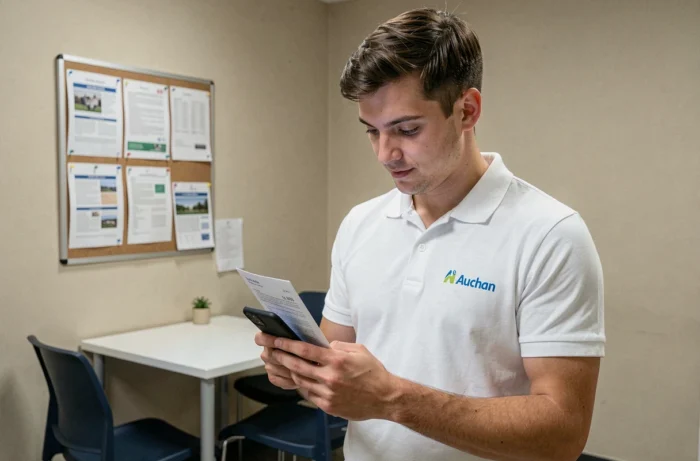
HR4You identifier and password: what Auchan students need to know
The login identifier is not a personal email or a freely chosen username. At Auchan, the HR4You identifier is assigned by human resources. Depending on the case, it is either the Auchan employee number (the one that appears on the employment contract and pay slips) or the professional email address in the format firstname.lastname@auchan.
The employee number can be found on the first page of the contract or at the top of the pay slip. If you haven’t received it yet, you need to ask the HR manager at the site.
No self-service identifier recovery
This is a surprising point when you’re used to public platforms. HR4You does not offer any self-recovery mechanism for the identifier. There is no “Forgot Identifier” link on the login page. In case of loss, the only solution is to contact the HR department or the CSP HR.
For the password, the reset procedure also goes through the HR department or internal support. You do not receive a reset link via personal email like on most sites. This operation is explained by the security constraints specific to corporate HR systems, but it can confuse a student who is discovering this type of tool.
- Keep your Auchan employee number in a safe place (photo of the contract, note on the phone) from the moment you sign.
- Note the assigned professional email address if it differs from the employee number.
- Save the phone number or address of the store’s HR department for quick contact.
HR4You login from a phone: constraints for student contracts
Most students do not have a work computer. They log in from a smartphone, between classes or before starting a shift. HR4You is accessible via a mobile browser at hr4you.auchan.fr, but there are a few points worth noting.
Two-factor authentication may be required depending on the site’s configuration. Specifically, after entering the identifier and password, you receive a validation code (by SMS or via an authentication app). If the phone number registered in the HR file is incorrect, the code never arrives. Again, it is the HR department that updates this information.
Browser and cache: details that block
Feedback varies on this point, but several students report connection difficulties related to the mobile browser’s cache. When the login page shows an error after a failed attempt, clearing the browser’s cache and cookies often resolves the problem. On mobile Chrome, you access this option via Settings > Privacy > Clear browsing data.
Another useful reflex: do not go through a link saved in an old favorite. Typing hr4you.auchan.fr directly into the address bar avoids redirects to error pages (like error 400 that appears when accessing an SSO endpoint without going through the portal).

Pay slips and documents on HR4You Auchan: student access
Once logged in, the personal space allows you to view your digital pay slips, contracts, and certificates. For a student contract, pay slips are generally available a few days after the salary is paid.
Consultation is done in the section dedicated to personal documents. You can download them in PDF format, which is convenient for a student housing application or a scholarship file.
- Check that the postal address and bank details are correct in the “Personal Information” section upon first login.
- Download each pay slip as you go (archives are not always accessible after the end of the contract).
- Report any errors on a pay slip directly through the store’s HR department, not via the platform.
Access after the end of the student contract
Access to HR4You can be cut off quickly after the end of the contract. For student fixed-term contracts, the account is often deactivated in the weeks following the last working day. Downloading all your documents before the contract end date is a precaution not to be overlooked.
If the account is already deactivated and a document is missing, contacting the CSP HR by phone or mail remains the only option. The response time depends on the site, but you should expect several business days.
For a student who takes on several contracts at Auchan (summer holidays followed by weekends, for example), the employee number generally remains the same. The HR4You account is reactivated with each new contract, but sometimes you need to follow up with the HR department to ensure the reactivation is effective from the first day.